योजना का संक्षिप्त विवरण
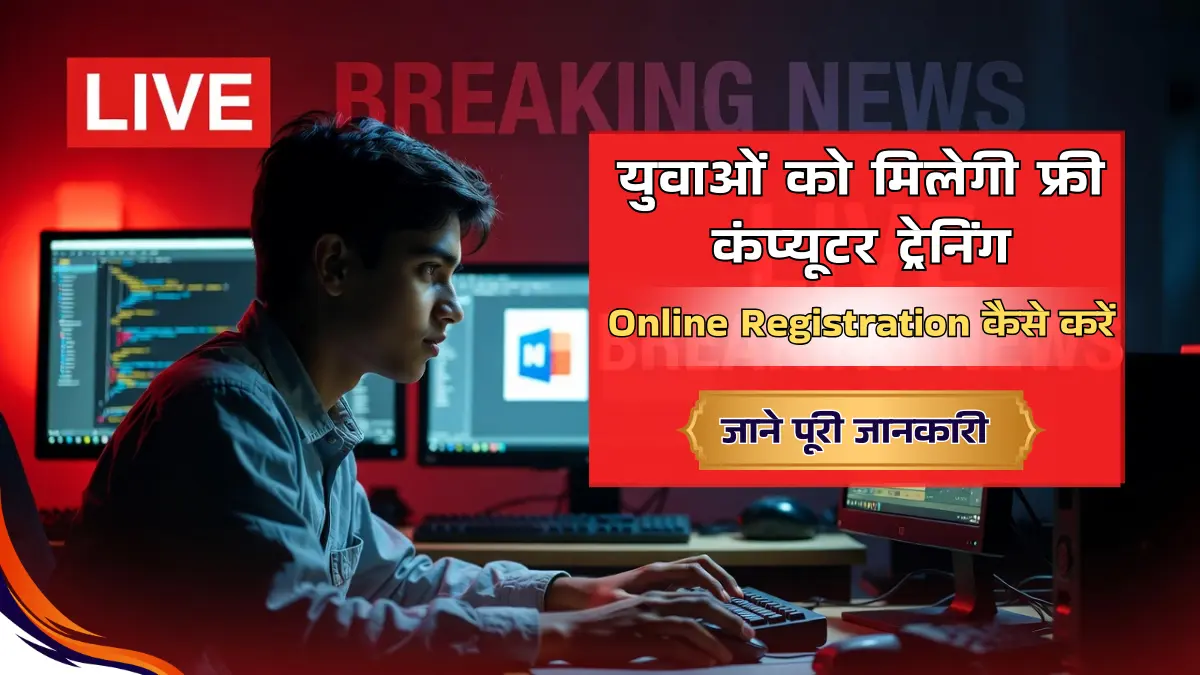
Uttar Pradesh Free Computer Training Scheme राज्य सरकार द्वारा बेरोजगार युवाओं और छात्रों को डिजिटल युग के लिए तैयार करने हेतु शुरू की गई एक महत्वपूर्ण योजना है। इस scheme के तहत युवाओं को बिल्कुल मुफ्त में Basic से Advanced Computer Courses की ट्रेनिंग दी जाती है। MS Office, Tally, DTP, Web Designing, Programming और अन्य computer skills सिखाए जाते हैं। ट्रेनिंग पूरी होने के बाद सरकारी मान्यता प्राप्त certificate भी दिया जाता है जो नौकरी पाने में सहायक होता है। डिजिटल इंडिया के दौर में जब हर field में computer knowledge जरूरी है, यह योजना गरीब और मध्यमवर्गीय परिवारों के युवाओं के लिए करियर बनाने का सुनहरा अवसर है।
योजना के अंतर्गत मिलने वाले मुख्य लाभ
मुफ्त Computer Training:
- Basic Computer Course (3-6 महीने)
- MS Windows, MS Office (Word, Excel, PowerPoint)
- Internet और Email
- Typing (Hindi और English)
- Advanced Courses (6-12 महीने)
- Tally ERP 9 (Accounting)
- DTP (Desktop Publishing – Photoshop, CorelDraw)
- Web Designing (HTML, CSS, WordPress)
- Programming (C, C++, Java basics)
- Graphic Designing
अतिरिक्त सुविधाएं:
- बिल्कुल निःशुल्क – कोई fees नहीं
- Government certified training
- Certificate जो jobs में मान्य
- कुछ centers में placement assistance
- Study material free में मिलता है
- Practical hands-on training
- Experienced trainers द्वारा classes
Course Duration:
- Short-term courses: 3-6 महीने
- Long-term courses: 6-12 महीने
- Part-time और Full-time दोनों options
- Flexible timings – सुबह या शाम की classes
पात्रता मानदंड – कौन Apply कर सकता है?
शैक्षणिक योग्यता:
- Basic Computer Course के लिए: कम से कम 8वीं या 10वीं पास
- Advanced Courses के लिए: 10वीं या 12वीं पास
- कुछ specialized courses के लिए: Graduation
आयु सीमा:
- न्यूनतम आयु: 15 वर्ष
- अधिकतम आयु: 35 वर्ष (General Category)
- SC/ST/OBC के लिए: 38-40 वर्ष (age relaxation)
- महिलाओं के लिए: 2-3 वर्ष की छूट
निवास और अन्य:
- आवेदक उत्तर प्रदेश का मूल निवासी होना चाहिए
- बेरोजगार युवा हो या student
- पहले से कोई computer course नहीं किया हो (सरकारी स्कीम से)
- आधार कार्ड होना अनिवार्य
आय संबंधी:
- परिवार की वार्षिक आय ₹3,00,000 से कम हो (कुछ schemes में)
- BPL/EWS category को preference
विशेष प्राथमिकता:
- महिला candidates
- SC/ST/OBC categories
- Divyang (Physically Handicapped) persons
- Rural area के युवा
आवेदन के लिए आवश्यक दस्तावेज़
पहचान और निवास संबंधी:
- आधार कार्ड (mandatory)
- Voter ID Card या अन्य photo ID
- निवास प्रमाण पत्र या Domicile Certificate
- राशन कार्ड (optional)
शैक्षणिक दस्तावेज़:
- 10वीं की Marksheet (अनिवार्य)
- 12वीं/Graduation की Marksheet (advanced courses के लिए)
- School/College leaving certificate
आय और Category:
- आय प्रमाण पत्र (यदि आवश्यक हो)
- Caste Certificate (SC/ST/OBC के लिए)
- BPL Card (यदि हो)
- EWS Certificate
अन्य दस्तावेज़:
- पासपोर्ट साइज फोटो (recent, 2-4 copies)
- बैंक खाता पासबुक (कुछ schemes में stipend के लिए)
- मोबाइल नंबर
- Email ID (यदि हो)
Online Registration की पूरी प्रक्रिया
चरण 1: Official Portal पर जाएं
UP सरकार की Skill Development Mission या IT & Electronics Department की website खोलें। या फिर Common Service Centre (CSC) portal पर जाएं जहां कई computer training schemes listed होती हैं।
Also Read


चरण 2: Scheme Select करें
- ‘Computer Training Schemes’ section में जाएं
- अपनी पसंद का course select करें (Basic/Advanced/Tally/DTP आदि)
- ‘Apply Online’ या ‘Register Now’ पर click करें
चरण 3: Registration Form भरें
- Personal Details:
- पूरा नाम (marksheet के अनुसार)
- पिता/पति का नाम
- जन्मतिथि (Date of Birth)
- लिंग (Gender)
- Contact Information:
- मोबाइल नंबर (active)
- Email ID
- पूरा पता – गांव/शहर, तहसील, जिला
- Pin Code
चरण 4: Educational और Category Details
- अंतिम शैक्षणिक योग्यता select करें
- 10वीं/12वीं के marks (percentage)
- Pass होने का वर्ष
- Category – General/SC/ST/OBC/EWS
- क्या Divyang हैं – Yes/No
चरण 5: Course Preference
- कौन सा computer course करना चाहते हैं
- Duration preference (3 months/6 months/1 year)
- Preferred training center (अपने नजदीकी 2-3 centers चुनें)
- Timing preference (Morning/Evening/Weekend)
चरण 6: Documents Upload करें
सभी documents की clear scanned copies upload करें:
- आधार Card (Front & Back)
- 10वीं Marksheet
- Photo ID proof
- Caste Certificate (यदि applicable)
- Passport photo
- Format: PDF या JPG
- Size: Max 200-500 KB
चरण 7: आधार Verification
- आधार number enter करें
- Mobile पर OTP आएगा
- OTP verify करें
- e-KYC complete होगी
चरण 8: Final Submit
- सभी भरी हुई जानकारी preview में check करें
- Declaration checkbox में tick करें
- Captcha Code भरें
- ‘Submit’ button पर click करें
- Registration/Application Number note करें
- Acknowledgement Receipt download करें
Offline Registration प्रक्रिया
Step 1: नजदीकी Government ITI, Polytechnic या authorized training center जाएं
Step 2: ‘Free Computer Training Scheme’ का application form मांगें
Step 3: Form को carefully भरें:
- सभी columns में सही जानकारी
- साफ-सुथरी handwriting
- कोई overwriting नहीं
Step 4: सभी documents की self-attested photocopies attach करें
Step 5: भरे हुए form को center के coordinator/principal के पास जमा करें
Step 6: Receipt/Token number जरूर लें
Selection Process और Admission
Merit-Based Selection:
- 10वीं/12वीं के marks के आधार पर merit list
- कुछ schemes में first-come-first-serve basis
- Reserved categories के लिए अलग cutoff
Document Verification:
- Original documents की physical verification
- Training center पर बुलाया जाता है
- सभी originals साथ ले जाएं
Admission Confirmation:
- Verification successful होने पर admission confirm
- Batch timing allot होगी
- Classes की start date बताई जाएगी
- Identity Card मिलेगा
Course Commencement:
- Regular attendance जरूरी (minimum 75%)
- Practical और theory classes
- Monthly tests/assessments
- Final examination
Certificate:
- Course successfully complete करने पर
- Government authorized certificate
- National level पर मान्य
- Jobs में दिखाया जा सकता है
Training Centers कहां हैं?
Authorized Centers:
- सरकारी ITI (Industrial Training Institutes)
- Government Polytechnics
- CSC (Common Service Centres)
- Jan Seva Kendras
- NIELIT centers
- Empanelled private institutes
अपने नजदीकी Center ढूंढें:
- Official website पर ‘Locate Training Center’ option
- अपना जिला/तहसील select करें
- सभी nearby centers की list मिलेगी
- Address, contact number, courses offered – सब details
Application Status कैसे Check करें?
Online Status:
- Official portal पर जाएं
- ‘Track Application’ या ‘Check Status’ पर click
- Registration Number या Aadhaar डालें
- Mobile से OTP verify करें
- Status दिखेगा:
- Registered – Application received
- Under Review – Document verification pending
- Selected – आप merit list में
- Admitted – Admission confirm
- Not Selected – इस बार नहीं चुने गए
SMS Updates:
- Registered mobile पर regular updates
Center Visit:
- Training center पर जाकर personally पूछें
महत्वपूर्ण बातें याद रखें
⚠️ Fake Institutes: सिर्फ authorized centers में ही admission लें, किसी private agent के झांसे में न आएं
⚠️ No Fees: यह पूरी तरह free scheme है, कोई भी fees मांगे तो complaint करें
⚠️ Regular Attendance: 75% से कम attendance होने पर certificate नहीं मिलेगा
⚠️ Original Documents: Admission के समय सभी originals जरूर साथ लें
⚠️ Duplicate Application: एक ही scheme में multiple times apply न करें
⚠️ Age Proof: Birth certificate या 10वीं marksheet में DOB मismatch न हो
⚠️ Course Completion: बीच में छोड़ने पर certificate नहीं मिलेगा, commitment के साथ करें
अक्सर पूछे जाने वाले प्रश्न (FAQs)
Q1: इस योजना का मुख्य उद्देश्य क्या है?
A: उत्तर प्रदेश के युवाओं को digital skills से लैस करना ताकि वे आधुनिक job market में competitive बन सकें और रोजगार पा सकें।
Q2: क्या यह scheme सच में पूरी तरह free है?
A: हां, बिल्कुल। कोई admission fee, tuition fee या exam fee नहीं है। Study material भी free मिलता है।
Q3: Certificate का क्या value है नौकरी में?
A: यह government authorized certificate है जो सभी सरकारी और private jobs में मान्य है। Resume में add कर सकते हैं।
Q4: क्या working professionals भी apply कर सकते हैं?
A: हां, लेकिन preference unemployed youth को मिलती है। Working professionals के लिए evening/weekend batches हो सकती हैं।
Q5: Course करने के बाद job भी मिलती है क्या?
A: कुछ training centers placement assistance देते हैं लेकिन job की guarantee नहीं है। Certificate आपकी eligibility बढ़ाता है।
Q6: अगर एक course complete कर लिया तो दूसरा भी कर सकते हैं?
A: यह scheme के rules पर depend करता है। Usually एक candidate को एक बार लाभ मिलता है, लेकिन different course के लिए फिर apply कर सकते हैं।
Q7: क्या girls को कोई special benefit है?
A: हां, महिला candidates को priority दी जाती है। Age relaxation भी मिलता है। कुछ centers में girls-only batches भी होती हैं।
Q8: Training के दौरान stipend भी मिलता है क्या?
A: कुछ specific government schemes में monthly stipend का provision है, लेकिन सभी में नहीं। यह particular scheme पर depend करता है।
Q9: Online classes भी होती हैं या सिर्फ offline?
A: मुख्यत: offline practical training होती है क्योंकि hands-on practice जरूरी है। COVID के बाद कुछ theory classes online भी हो सकती हैं।
Q10: Helpline number या support कहां से मिलेगा?
A: UP Skill Development Mission की website पर helpline details हैं। या अपने नजदीकी training center पर संपर्क करें। District Employment Office भी मदद कर सकता है।
संपर्क के लिए:
Uttar Pradesh Skill Development Mission
या अपने जिले के Employment Exchange / District Industry Center से संपर्क करें।
Toll-free Helpline: 1800-180-5412 (UP Government)